
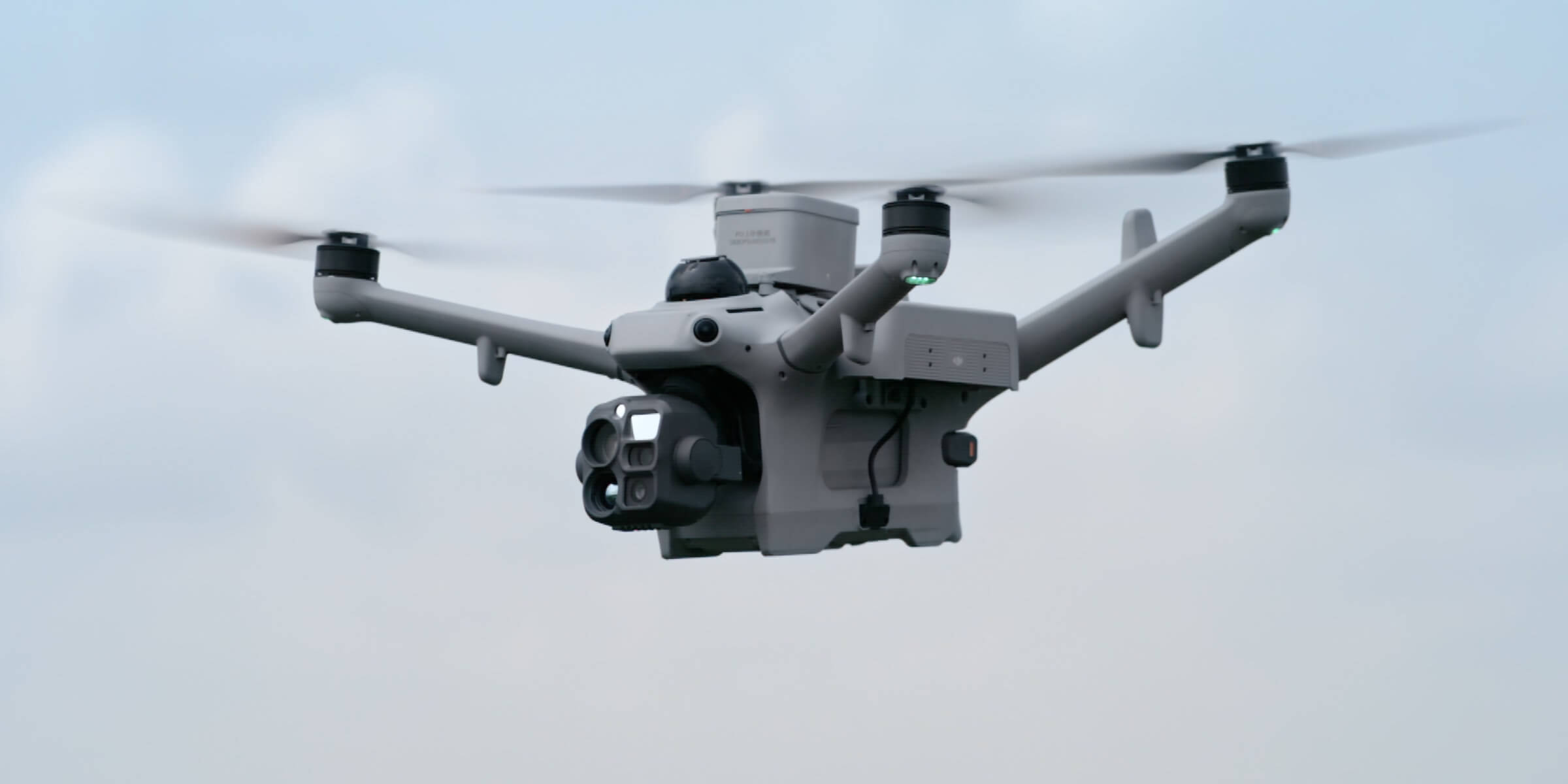
ROC – Remote Operation Center
Thermal Monitoring with the ROC: Find Heat Problems Before They Become Failures
Scheduled thermal drone inspections capture radiometric temperature data from the same positions, flag abnormal temperatures and help your team send crews only where they’re needed.
Remote Robotic · October 26, 2026 · 8 min read
Most equipment failures announce themselves with heat first. A loose electrical connection, an overloaded transformer, a failing bearing, a blocked heat exchanger or a flare that’s gone out: each shows up as a temperature change long before it causes an outage, a fire or a shutdown.
The challenge is catching those changes in time. Handheld thermal surveys happen a few times a year, need trained technicians on site, and only capture a single moment.
Remote Robotic’s Remote Operations Center (ROC) makes thermal monitoring automatic. Thermal drones based on your site fly scheduled routes, capture radiometric temperature data from the same positions every time, and flag abnormal temperatures automatically. Licensed pilots oversee every mission remotely.
Your assets get checked as often as you need, and nobody has to go to site to do it.
What is radiometric thermal monitoring?
A standard thermal camera shows a heat picture. A radiometric thermal camera records an actual temperature value for every pixel in the image.
That means you can:
- Measure the temperature of a specific point or area
- Compare components side by side, such as one phase against another
- Set temperature thresholds and get alerts when they’re crossed
- Track temperature changes across repeat inspections
- Re-analyze images later, using the temperature data saved in each thermal photo
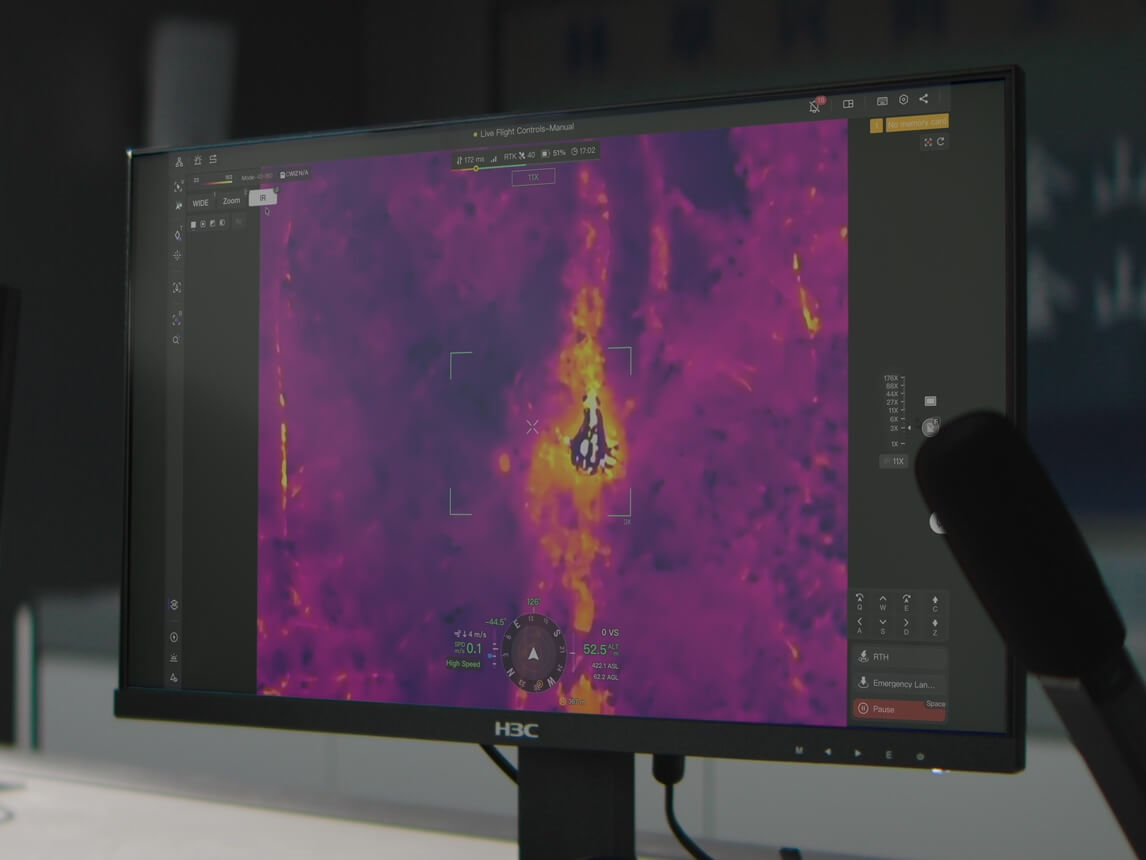
What the ROC’s thermal drones capture
| Capability | Specification |
|---|---|
| Thermal resolution | Up to 1280×1024, with an ultra-high-resolution mode of 2560×2048 |
| Thermal sensitivity | 50 mK or better |
| Temperature range | –40°C to 150°C in high gain, 0°C to 550°C in low gain |
| Measurement accuracy | ±2°C or ±2% in high gain, ±5°C or ±3% in low gain |
| Measurement tools | Spot and area temperature measurement |
| Temperature alerts | Automatic alerts when set thresholds are crossed |
| Visible and thermal fusion | Combines visible and thermal images in one view |
| Thermal zoom | Up to 32× digital zoom |
| Photo formats | R-JPEG (16-bit) with temperature data in every pixel |
| Thermal video | Up to 2560×2048 at 30 fps |
| Sun burn protection | Protects the thermal sensor from direct sunlight |
| Laser rangefinder | Measures distance to targets up to 3 km away |
Specifications are for the DJI Matrice 5TD, one of the thermal platforms used in the ROC program.
How automated thermal monitoring works
- 01
Build the route once
We plan a route around your critical assets, such as transformers, breakers, switchgear, flares, tanks, conveyors, motors, pipelines and solar arrays. Each inspection point is saved with its position, camera angle and zoom.
- 02
Set temperature thresholds
Temperature recognition can be set along the route, with lower and upper limits between –20°C and 550°C. When a temperature crosses a threshold, it’s flagged automatically.
- 03
Fly on schedule
Missions run daily, weekly, monthly or on demand, and can also be triggered by an alarm. The drone launches from its base on site, flies the route and returns automatically.
- 04
Capture the same view every time
At each inspection point, the drone captures thermal and visual images from the same position, angle and zoom as the last flight. That makes it easy to compare results over time.
- 05
Respond automatically
When a temperature alert is triggered, the drone can automatically:
- Take photos of the hot spot
- Record video
- Hover and wait for a pilot to take over
A warning with a snapshot and location is sent to your team.
- 06
Review and act
Licensed ROC pilots can zoom in and investigate in real time. Your team receives the thermal images, temperature readings, locations and alerts, and sends crews only where they’re needed.
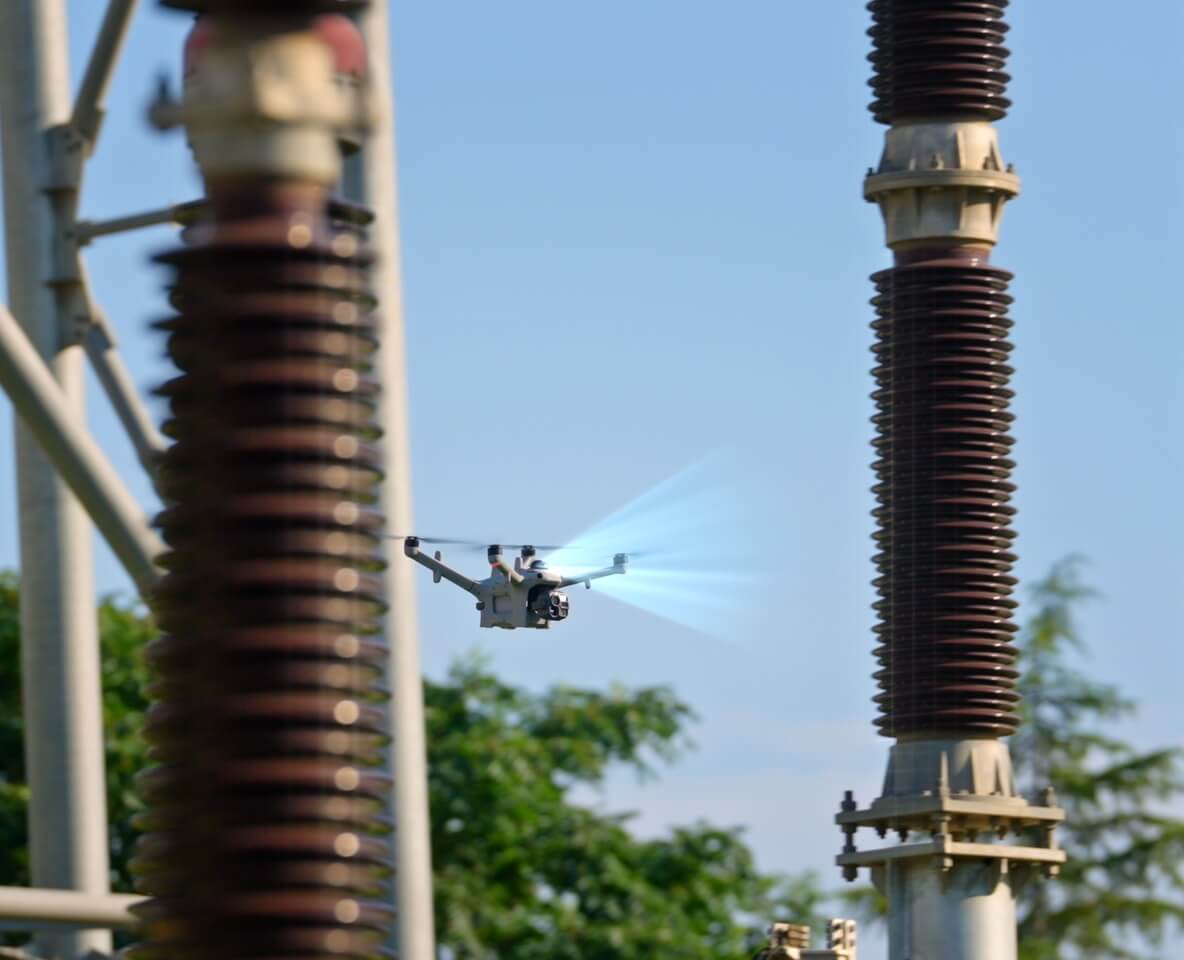
Thermal monitoring by industry
01
Energy and Utilities
- Substations: transformers, bushings, breakers, disconnects, connections and switchgear
- Phase comparisons: compare temperatures across phases to spot imbalance or overload
- Transmission and distribution: splices, clamps, connectors and hardware
- Solar farms: hot cells, failed strings, connectors and inverters
- Hydro and generation: transformers, cooling systems and electrical equipment
- Storm response: check equipment for damage and overheating after severe weather
02
Oil and Gas
- Flares: confirm flares are lit and burning
- Equipment: compressors, pumps, motors, heaters, separators and electrical systems
- Tanks: thermal patterns that can show fluid levels and abnormal conditions
- Pipelines: temperature anomalies along the right-of-way
- Heat tracing and insulation: find gaps and failures
- Night monitoring: thermal imaging works in complete darkness
03
Mining and Surveying
- Conveyors: idlers, pulleys, drives and motors
- Stockpiles: watch for heating in coal and sulphide stockpiles
- Electrical infrastructure: substations, motor control centres and power lines
- Mobile equipment areas: check parked equipment for overheating after shift
- Tailings facilities: thermal patterns that can help spot surface moisture
04
Construction
- Temporary power: generators, panels and distribution equipment
- Building envelopes: heat loss, moisture and insulation gaps
- Roofing: moisture detection on large commercial roofs
- Concrete curing: monitor temperatures during winter pours
05
Public Safety and Fire
- Fire size-up: see hot spots and fire spread through smoke
- Overhaul: find hidden hot spots after a fire is knocked down
- Search and rescue: locate people by their heat signature, day or night
- Hazmat: monitor heat from a safe distance
06
Private Security
- Night patrols: detect people and vehicles in complete darkness
- AI on thermal imagery: recognizes people, vehicles, vessels and moving objects
- Alarm response: thermal video sent to your security team within minutes
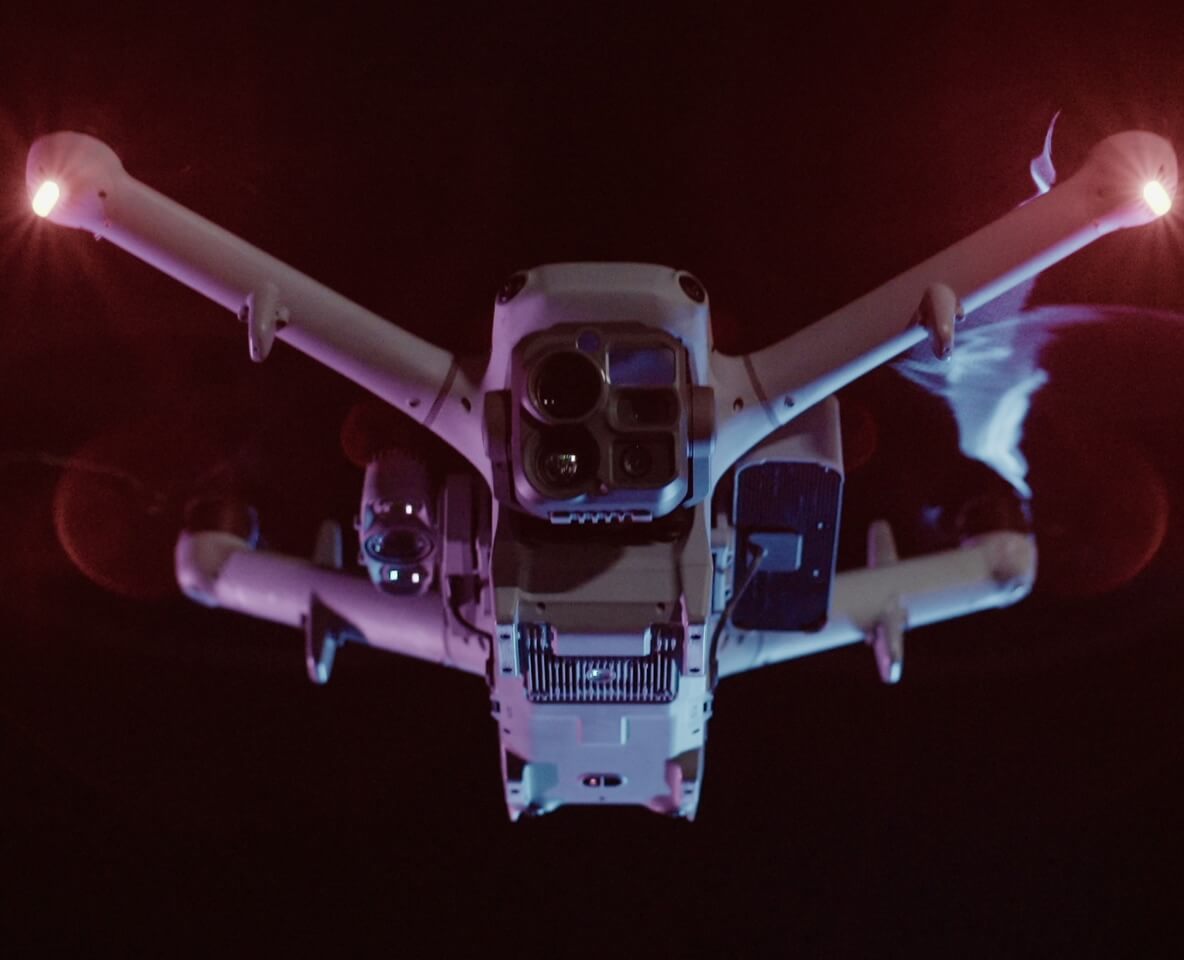
Why automated thermal monitoring beats periodic surveys
| Periodic handheld surveys | ROC thermal monitoring | |
|---|---|---|
| Frequency | Quarterly or annually | Daily, weekly or on demand |
| Consistency | Varies by technician and conditions | Same position, angle and zoom every time |
| Coverage | What’s reachable on foot | Elevated, remote and hard-to-reach assets |
| Worker exposure | Technicians near energized or hot equipment | No one on site |
| Alerts | Found during review | Automatic threshold alerts |
| Trends | Hard to compare | Repeat data for comparisons over time |
| Night operations | Limited | 24/7 |
| Records | Scattered images and reports | Time-stamped, geotagged thermal records |
Getting accurate thermal data
Thermal readings are affected by conditions on the day. The ROC plans missions to get the most reliable results:
- Consistent timing: flying at the same time of day makes comparisons fair.
- Solar loading: scheduling around direct sun avoids false hot spots from sunlight.
- Load conditions: electrical inspections are most useful when equipment is under load.
- Distance and angle: saved routes keep these the same on every flight.
- Surface type: shiny metal surfaces can reflect heat and need careful interpretation.
- Weather: wind, rain and humidity can affect readings, and flights hold automatically in unsafe conditions.
Thermal data you receive
- Radiometric thermal images with temperature data in every pixel
- Visible images of each inspection point for context
- Temperature readings for spot and area measurements
- Alerts with snapshots and locations
- Before-and-after comparisons from repeat flights
- Inspection reports organized by site, asset and date
- Thermal video for incidents and live investigations
Safety built in
- No technicians near energized or hot equipment
- No climbing towers, stacks or structures
- Licensed pilots oversee every mission remotely
- Automatic weather holds
- Geofences keep drones at safe distances from restricted areas
- No drone training needed on site
What’s included
- Equipment: thermal drones and bases, supplied, installed and maintained by us
- Licensed pilots: remote oversight of every mission, 24/7/365
- Mission design: routes, inspection points and temperature thresholds built around your assets
- Data: radiometric thermal images, visible images, readings, alerts and reports
- Records: flight logs and chain-of-custody documentation
One predictable monthly fee. No fleet to own.
Frequently asked questions
What does radiometric mean?
A radiometric thermal camera records an actual temperature value for every pixel, so you can measure, compare and re-analyze temperatures later.
How accurate are the temperature readings?
In high gain mode, accuracy is ±2°C or ±2%. In low gain mode, it’s ±5°C or ±3%.
What temperature range can be measured?
From –40°C to 150°C in high gain mode, and from 0°C to 550°C in low gain mode.
Can we set temperature alerts?
Yes. Upper and lower temperature thresholds can be set on inspection routes, and alerts with snapshots and locations are sent to your team.
How often can thermal inspections run?
As often as you need: daily, weekly, monthly or on demand, or triggered by an alarm.
Can thermal monitoring run at night?
Yes. Thermal imaging works in complete darkness.
Do we need anyone on site?
No. You only need power and a network connection at the drone’s base on site.
Get started
Catch heat problems before they turn into failures. Book a ROC briefing and we’ll design an automated thermal monitoring program around your assets.
Request a briefing with the ROC form below or call 416-303-3575.
ROC program
Talk to the ROC team
Shop the story
Related products in our catalog
Every product below is stocked and supported by Remote Robotic in Canada.
- DJI Matrice 5TD
DJI Matrice 5TD
Dock 4 aircraft with wide + 1280×1024 thermal cameras, mmWave radar and LiDAR — 59 min flight, 3,000 m laser rangefinder.
View product → - DJI Dock 4
DJI Dock 4
DJI's first battery-swapping dock — ~25-second swaps for 24/7 operations, −40°C to 50°C, IP56. Pairs with the Matrice 5TD.
View product →